
Technology
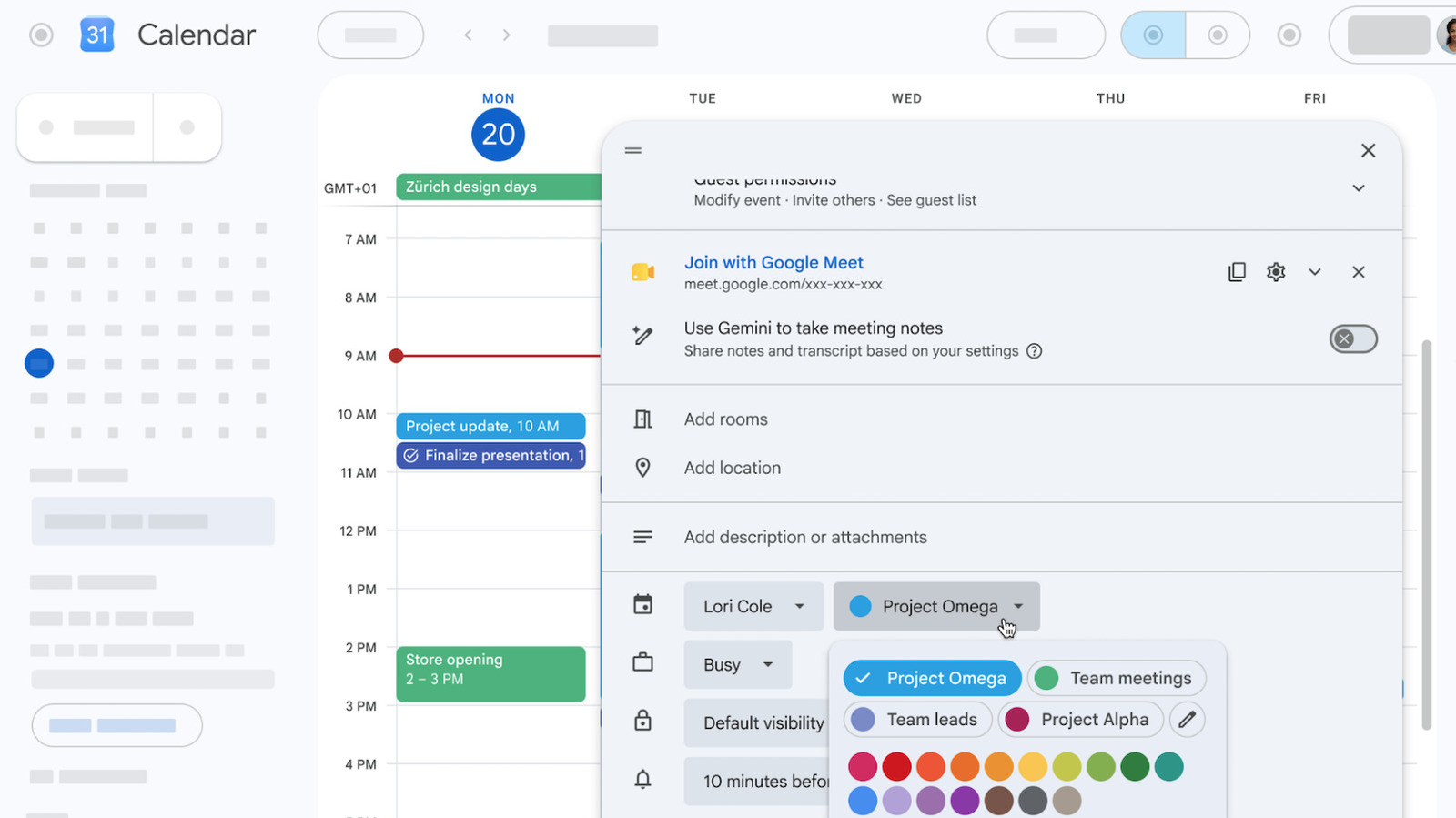
Google Calendar lets you use any color you want for your events
Key Points
Google Calendar lets you use any color you want for your events The platform used to only offer 11 different colors. This is a big day for people who like a clean and organized Google Calendar. The platform is expanding its event coloring options from 11 predefined hues all the way up to 200.
Google Calendar lets you use any color you want for your events
The platform used to only offer 11 different colors.
This is a big day for people who like a clean and organized Google Calendar. The platform is expanding its event coloring options from 11 predefined hues all the way up to 200. Now even the busiest among us won't have to double or triple up colors while planning their week or month.
Here's how it works. There are now 24 default color options, but web users also have access to a full RGB color picker, so you can customize your calendars with whatever hue you prefer. However, mobile users just have the 24 colors and no RGB picking tool. I'm not particularly bothered by this limitation, as everyone I know uses the web tool for primary scheduling and the mobile app for keeping an eye on things.
This new feature will be on by default, but this can be customized by the user. It's rolling out right now, but it could take a couple of weeks to reach everyone. There are a lot of Google Calendar users out there. To that end, it's available to all Google Workspace customers, Workspace Individual subscribers and anyone with a personal Google account.
This is just the latest upgrade to the world's most popular calendar app. The platform recently added the ability to schedule personal tasks and a tool that leverages AI to suggest the best time for an event that suits all participants.
[Image text:] O
31
Calendar
O
MON
TUE
WED
THU
FRI
20
X
GMT+01
Zurich design days
Modify eventInvite othersSee guest list
-
7AM
Join with Google Meet
V
X
meet.google.com/xxx-xxx-xxx
8AM
0
Use Gemini to take meeting notes
Share notes and transcript based on your settings
X
9AM
10AM
Project update, 10 AM
E
Add rooms
Finalize presentation,
Add location
11 AM
12 PM
I
Add description or attachments
1PM
Lori Cole
Project Omega
2PM
Store opening
Busy
2-3PM
Project Omega
Team meetings
3 PM
Default visibility
Team leads
Project Alpha
4 PM
10 minutes befol