
Technology
GoPro Wireless Mic System review: An audio upgrade with fixable flaws
Key Points
GoPro Wireless Mic System review: An audio upgrade with fixable flaws Battery life, direct connectivity and sound quality are advantages here. By my calculation, I've been waiting for GoPro's Wireless Mic System for almost exactly 175 months. That's how long it's been since I reviewed the HD Hero 2 and realized the potential of a GoPro as a vlogging camera.
GoPro Wireless Mic System review: An audio upgrade with fixable flaws
Battery life, direct connectivity and sound quality are advantages here.
By my calculation, I've been waiting for GoPro's Wireless Mic System for almost exactly 175 months. That's how long it's been since I reviewed the HD Hero 2 and realized the potential of a GoPro as a vlogging camera. It just needed a capable wireless microphone. Better still, one that connected directly to the camera without a receiver. Add noise reduction and a battery charging case, and you'd have the complete package.
So here it is, the Wireless Mic System from GoPro, released in 2026. It's the company's first foray into a very crowded category. GoPro faces steep competition with high-specced premium offerings and many affordable alternatives. The kit I'm reviewing here is the $159 two-mic bundle, but a USB-only ($80) and a line transmitter kit ($50) are also available. But if this is the absolute best wireless mic for GoPro cameras, then the 760-week wait will still have been worth it.
Hardware
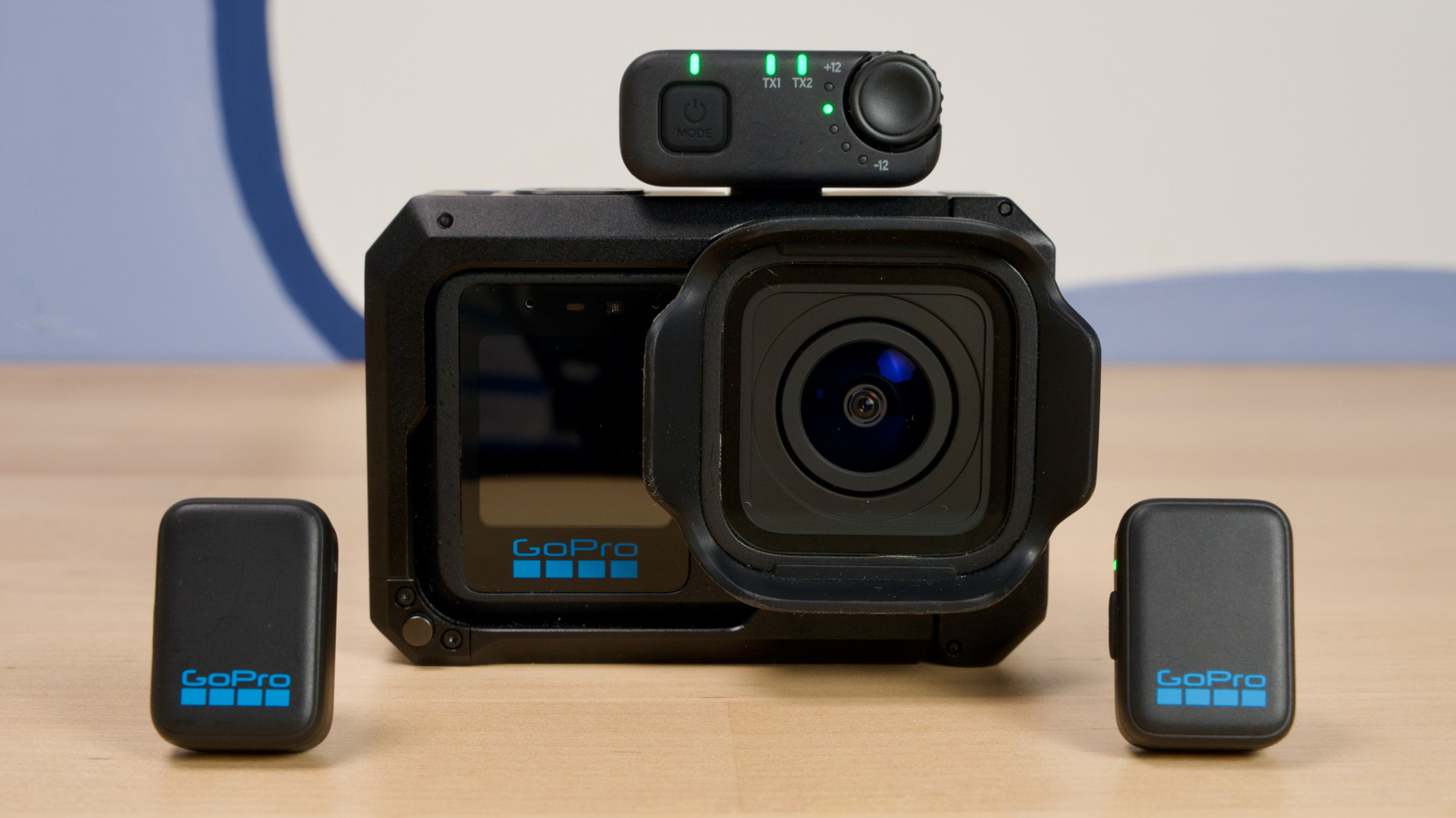
The Wireless Mic System comes with two wireless transmitters (the microphones) and two receivers for connecting to different types of cameras. One is for DSLR/mirrorless cameras, with 3.5mm connectivity and a headphone port for monitoring. The other is for USB-C devices such as phones and PCs. The 3.5mm receiver has a gain control dial and buttons for changing modes (stereo/mono/safety track etc.) while the USB-only receiver is much smaller and lighter, with just one button to cycle though three preset gain levels.
The kit comes with a charging case which offers around 20 hours of use — each mic runs for about six hours per charge. The whole package is more compact than rivals like DJI's Mic Mini or the Insta360 Mic Pro. Rode's nearest equivalent, the Wireless Micro video kit, has a smaller case, but that doesn't accommodate both of its receivers — so the GoPro wins on convenience. There's a soft carry pouch to protect things and store the 3.5mm and USB cables, and even when using that, the kit is one of the most lightweight of the many that I've used.
The microphones themselves are discreet, a shade smaller than the DJI Mic Mini transmitters and can be attached to clothing via included magnets or built-in clips. The lone power button also activates pairing and noise reduction modes. At 10g/0.3 oz, the mics are lightweight so they shouldn't weigh down shirt lapels. If anything, it's easy to forget you're wearing them, which is good while recording, but not so good when you remember you're wearing one three hours later during a dinner with friends like I did.
Setup and use
Despite being a GoPro product, the Wireless Mic System isn't limited to action cameras. The main selling point here, though, is its direct connectivity to GoPros. Since the Hero 12, you could connect a Bluetooth microphone directly. Ironically, that meant, up until now, DJI's Mic Mini and Mic 3 were likely the best options for connecting directly to a GoPro as those both offer Bluetooth alongside a physical receiver.
Pairing the Wireless Mic System with the camera is simple: Turn on one of the microphones and tap the power button three times to switch to Bluetooth mode. Turn the mic off, then back on while keeping the power button held down to pair. The GoPro recognizes the mic and you're all set. You can pair either microphone to the camera, but only one at a time. A single press of the mic button turns on noise reduction and a white LED confirms it's activated.
Using either of the receivers is as simple as connecting to the camera or PC via USB or 3.5mm (depending which one you're using) and then turning on the mic. Unless you last used it with a Bluetooth connection, in which case, three taps of the power button will put you back in receiver mode.
While it's a major benefit to connect a mic to a GoPro without a receiver, the hardware receiver offers superior audio quality. What's more, it means you can use both mics at the same time. The USB receiver is designed to fit neatly into a GoPro's recessed USB port. You don't need to fully remove the protective door from the camera, but you can if you want things to look a little neater. If you plan on using the kit with a phone, the dongle slightly extends from the base of your handset, but it's snug and practical, and feels secure.
I noticed while using both microphones and the USB receiver, the GoPro only shows one VU meter on its display. At first, it looks like only one mic is connected, but watching back through the video, both are in fact recorded.
In this setup, the mics record in "split" mode, one mic on the left channel and the other on the right. This is jarring when listening back on headphones or a TV with connected speakers. The TRS receiver lets you change between mono or stereo, but right now there's no apparent way to do this with the USB dongle. This means you need to convert the track to mono in editing software, which adds friction if you just want to share a clip directly from your phone or PC.
With your phone, you can side-step this issue with apps like Blackmagic camera that have the option to merge both channels, but most native camera apps don't offer this. Combined with the UI issue mentioned above, it feels a little clumsy. The good news is, it should be easy to fix in a firmware update. GoPro itself has two apps — Quick and the Fluid camera — that could offer a way to update settings on the USB dongle, but right now you're stuck with workarounds.
While we're talking feature requests, there's no way to start and stop recording on a GoPro with GoPro's own mics, something DJI offers and a feature I use all the time with its Osmo cameras. It's a small detail, but I feel it's a missed opportunity.
Sound quality
With either of the receivers, the GoPro Wireless Mic System delivers solid, clear audio. It doesn't pick up too much background noise in echoey environments (like my home office) and voices sound natural. It also does an admirable job at recording atmosphere and ambient noise for non-talking videos — not that it's designed for that, but handy nonetheless. When I compared audio samples to the built-in mic on the GoPro media mod, the Wireless Mic System is clearly superior and would be my choice every time for vlogs and talking-head videos.
When connecting directly to a GoPro without a receiver, and testing against DJI's Mic Mini, the GoPro sounds noticeably more centered and less "roomy." I did notice that noise reduction with one of the receivers does a good job at hushing the fan I have running in my office. In Bluetooth mode, however, noise reduction introduces some noticeable artifacting. The results are still usable but I'd be inclined to turn noise reduction off in these situations and use dedicated tools in editing software.
The competition
Right at the top, I mentioned that there's a ton of competition for wireless mic kits. Rode kickstarted the category with its popular Wireless Go series, DJI stormed in with its Mic series and brands like Hollyland remain popular. Companies like Insta360 are also making kits that offer seamless integration with their cameras. GoPro turned up a little bit late to the party and priced itself higher than some of its competition.
The lack of on-board recording and advanced features like 32-bit float put the Wireless Mic System in the same bucket as DJI's Mic Mini 2 and Rode's Wireless Micro camera kit. Thanks to DJI's troubles selling gear in the US, its Mic Mini 2 is more affordable internationally but harder to find stateside. Rode's kit is priced similarly to GoPro and offers a better software experience plus an OLED display. Hollyland offers a couple of more economical models that are popular and offer similar functionality. You are not short of choices. GoPro's unique selling point here will be its superior compatibility with its own cameras.
Wrap-up
There's a lot to like about GoPro's first wireless mic system. It's compact and easy to carry. The two receivers make it compatible with almost any device that can record audio. Battery life is competitive and sound quality, in particular with its own cameras, is a strong point. But the fact you can only connect one microphone without a receiver and the lack of mono mode via the USB dongle are inconveniences that add some friction. There's also the UI quirk that only shows one mic as active when used with a GoPro camera, but that feels like a bit of a (fixable) blooper.
None of these issues are fatal blows on their own, and I'd wager they'll be eliminated sooner rather than later, but with so much competition at a similar or better price, it's harder to forgive. One thing is for sure, though. The Wireless Mic System elevates the GoPro line, particularly the Mission 1 Pro, into a stronger contender in the lightweight vlogger kit wars. DJI and Insta360 had a headstart here with their own camera-mic combos, and finally GoPro doesn't feel like the odd one out.