
Technology
This app lets you use an Apple Watch with an Android phone
Key Points
This app lets you use an Apple Watch with an Android phone If you moved to Android, your Apple Watch can come with you. Whether the iPhone is the best smartphone around is debatable, but what's undeniable is how well Apple has nailed the products that surround it. The AirPods continue to dominate the truly wireless earbuds market, and the Apple Watch remains one of the most polished smartwatch experiences you can get.
This app lets you use an Apple Watch with an Android phone
If you moved to Android, your Apple Watch can come with you.
Whether the iPhone is the best smartphone around is debatable, but what's undeniable is how well Apple has nailed the products that surround it. The AirPods continue to dominate the truly wireless earbuds market, and the Apple Watch remains one of the most polished smartwatch experiences you can get. Unfortunately, Apple's accessories work best when you have an iPhone to go along with them. In fact, the Apple Watch straight up doesn't work with Android.
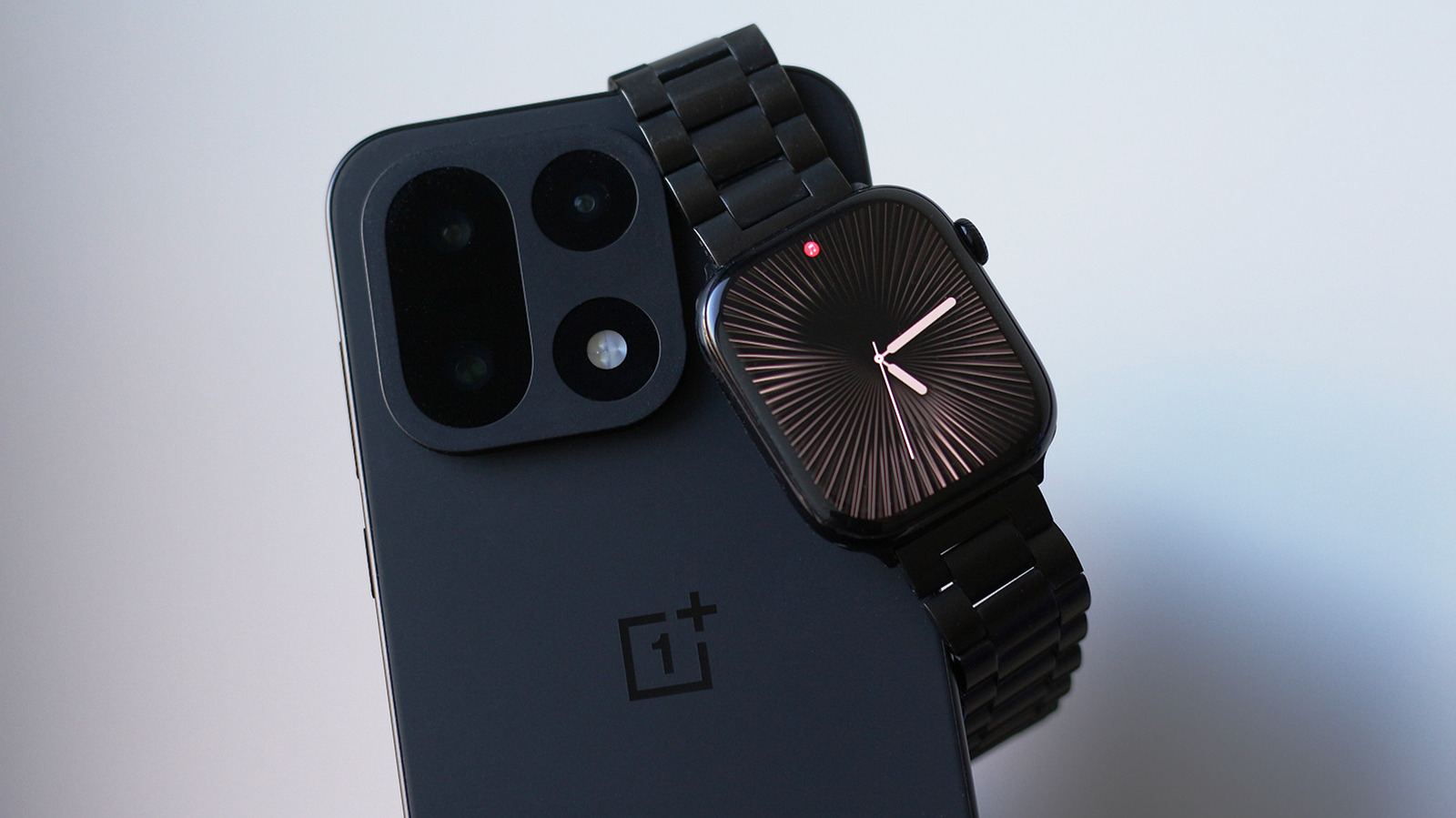
I recently moved to a OnePlus device only to realize that I have to carry my iPhone around just for my Apple Watch to stay useful. Then I stumbled upon Merge Watch — an app that claims to bridge the gap and let me pair my Apple Watch with an Android phone. People have found workarounds in the past to make this happen as well, but they require the cellular version of the Apple Watch. At this point, you're using two devices that don't talk to each other.
You do need to first activate your Apple Watch with an iPhone. You then install the Merge Watch app on both your Apple Watch via its App Store and on your Android device via the Play Store. Launch the app on both devices and grant it the required permissions — it asks for Bluetooth permissions, health data, notification access and battery optimization exceptions. Tap your phone's name on your Apple Watch and confirm the pairing request by typing in the six-digit code on your phone.
Health data is synced with Google Fit and takes a while to show up when you first set up the app. Assuming the setup process went smoothly, your Android phone and your Apple Watch should now be able to talk to one another.
How well does Merge Watch work?
Pairing the two devices is one thing, but how much of the Apple Watch experience actually carries over to Android is another. Surprisingly, notification forwarding works really well. You can even reply to messages using your Apple Watch. When you play music on Spotify or any other app, you get playback controls on your wrist. Google Fit's user interface is not my favorite thing in the world, but it does sync with the health data my Apple Watch collects.
You probably don't want every app from your Android phone buzzing you on your wrist, so you can turn off notifications on a per-app basis through the Merge Watch app on your phone. ECG recordings also show up on your phone, alongside detailed sleep tracking data.
Although my Android phone and Apple Watch are now connected more closely than they ever were, the experience sadly isn't as polished as I'd hoped, especially for a paid service. For starters, every notification that my Apple Watch receives is through the Merge app rather than appearing as a native watchOS notification, so it almost feels like you're opening an app within an app just to check or reply to your notifications.
Every other app installed on your Apple Watch still works independently — it's just the Merge Watch app that forwards notifications and acts as the shared experience between the two devices. It's actually more like notification mirroring, since, unlike the iPhone, which automatically decides whether a notification appears on your phone or watch, your Android phone still buzzes with notifications even when you're actively using your Apple Watch. I assume it's the best any third-party developer can do given the limitations set by Apple.
Using an Apple Watch with Android
Although you are trusting a third-party app with access to fairly sensitive information and health data, Merge Watch's privacy policy claims that most of the data stays on your devices, and when notifications are sent through an internet relay, they're end-to-end encrypted. The harsher pill to swallow is its subscription model. There are two tiers to choose from, but to unlock all the app's features, you'll need to shell out $6 a month.
I tested the experience with my iPhone switched off to see if I could really daily drive my Apple Watch with an Android device. The results were a bit mixed. Merge Watch doesn't require your Apple Watch to be connected to the internet. It delivers notifications primarily through Bluetooth. However, there are instances where the app simply doesn't nudge me on my wrist. It takes manually launching the app on the Apple Watch to get things working again. This sometimes results in my watch pinging me a dozen times at once when the app does eventually wake from sleep.
I did notice slightly higher power consumption on my Apple Watch, which makes sense given the app is running continuously in the background fetching notifications all day. I ran this setup on watchOS 27 on an Apple Watch Series 10 connected to my OnePlus 15 running Android 16. OxygenOS does have a reputation for aggressively pausing background activities in favor of endurance, and even with battery optimization disabled for Merge Watch, I couldn't eliminate occasional notification delays.
Overall, Merge Watch is a decently reliable service if you want to pair an Apple Watch with your Android device. While I would have much preferred a one-time payment over a monthly fee, it's hard to complain when there are barely any other working solutions.