
Business & Finance
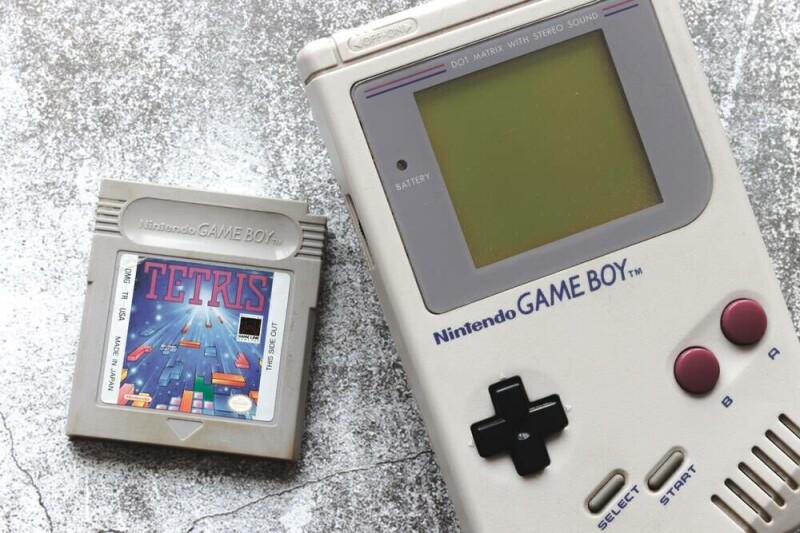
YouTuber built 30-frame-per-second grayscale Game Boy, then open sourced it for all e-paper displays
Key Points
Sure, running emulated Game Boy games at 30 fps with four shades of gray on an E Ink screen is cool, but you know what's cooler? A custom open source E Ink driver that could theoretically let any display do the same thing. YouTuber Bo Made It published a video last week demonstrating what he calls the InkBoy on a tiny ESP32-S3-powered e-paper board.
Sure, running emulated Game Boy games at 30 fps with four shades of gray on an E Ink screen is cool, but you know what's cooler? A custom open source E Ink driver that could theoretically let any display do the same thing. YouTuber Bo Made It published a video last week demonstrating what he calls the InkBoy on a tiny ESP32-S3-powered e-paper board. It looks just about as good as the old-fashioned olive-green screen on the original Game Boy, which isn’t saying much, but it’s an impressive feat to make this work on a cheap stock e-paper screen. For those who haven’t owned an e-reader, E Ink displays are great at what they’re designed for. They can retain what's on the screen without continuously consuming energy by using electrical pulses to move charged pigment particles within individual pixels, enabling them to store the screen state physically. That makes e-paper devices very power efficient, but it comes with a huge trade off: Changing those pixels is a glacially slow process compared with the modern displays we're all accustomed to. The screen that Bo used to make his InkBoy, for example, has a refresh speed of around 300 milliseconds, which is actually on the faster end of e-paper displays - but only really practical for displaying static images. Standard black and white E Ink displays contain two types of pigments: Positively charged black ones, and negatively charged white pigments. Swapping between the two requires a series of brief electrical charges in a particular waveform pattern that gradually move the pixels from the front of the screen to the back, clearing out most of the pigment that shouldn’t be at the surface. The native driver in Bo’s Waveshare 1.54-inch ESP32-S3 e-paper display does just that, and it doesn’t leave a lot of room for displaying motion. In order to get around those limitations, Bo built his own driver for the display that shortened the waveform and enabled per-pixel driving to reduce image ghosting. More impressively, it enabled his ostensibly black and white screen to display four shades of grey, just like an original Game Boy. He was originally using dithering to create greyscale images, but it honestly looked horrible. Luckily Bo noticed something while trying to fix the issue of image ghosting. “I noticed the display was already producing grey - just accidentally,” he said in his video. “The pigment doesn’t instantly jump from black to white, so I wondered if I deliberately stop driving it partway through the transition, can I produce those grey levels on demand?” The answer was yes, and with some additional tweaking he was able to produce those grey levels at 30 frames per second - a vast improvement from the 3.33 frames per second available with the original driver. It’s an impressive accomplishment, but is it a first? Not quite, but it’s still a new way of approaching faster E Ink refresh times. As Bo explains, he got his idea from another YouTuber who built their own E Ink Game Boy, albeit with some entirely custom hardware that allowed them to bypass typical E Ink screen design to create their own faster display. What Bo did was code his own driver for stock hardware, making this an impressive accomplishment in its own right, and one enterprising user could theoretically reproduce on their own if desired. After a month of work, and with the admitted use of some vibe coding for the driver, Bo has published a working version of his driver on GitHub, but with a hefty warning: Not only can forcing custom waveforms and higher refresh rates on E Ink screens cause permanent damage, but long-term panel life wasn’t evaluated as part of his experiment, either. If you’re going to try this, in other words, do so at your own risk, and maybe not on your modded Kindle - buy a cheap E Ink screen to break instead. ®
[Image text:] Jintondo GAMEBOY.
TETRIS
NintendoGAME BOYTM