
Technology
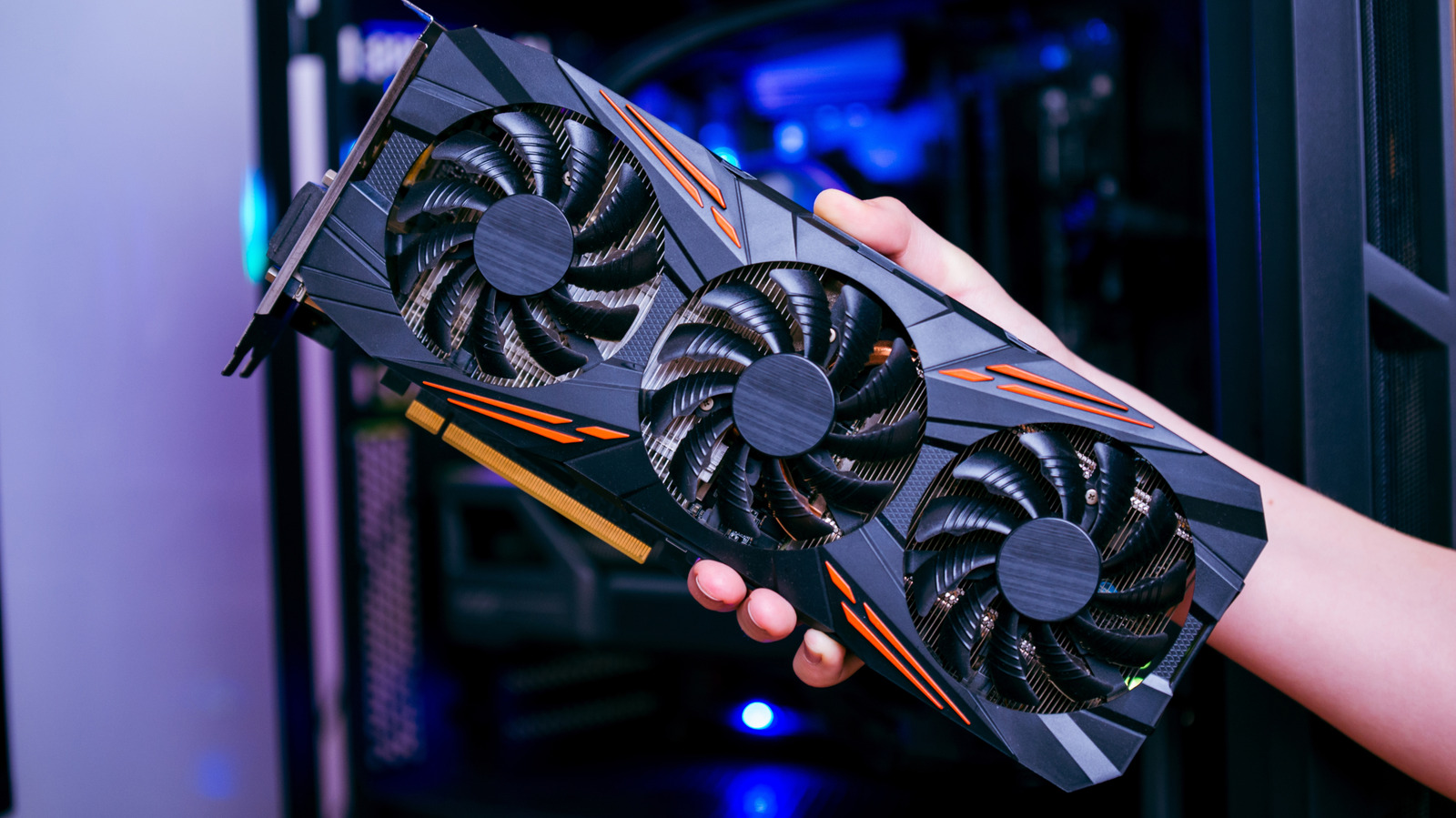
What hardware does your PC need to run a local AI model?
Key Points
What hardware does your PC need to run a local AI model? Less than you might think, but a 16GB PC will only take you so far. Download Ollama or LM Studio, pick a model, and within a matter of minutes, you can be up and running with a local chatbot.
What hardware does your PC need to run a local AI model?
Less than you might think, but a 16GB PC will only take you so far.
Download Ollama or LM Studio, pick a model, and within a matter of minutes, you can be up and running with a local chatbot. There's no subscription fee, it works without an Internet connection, and none of your data leaves your PC. But there's a catch: What you can run, and how quickly it responds, depends entirely on how powerful your machine is.
Your everyday PC with 16GB of RAM will be able to run relatively small models with around seven to eight billion parameters. Meta's Llama 3.1 8B, or Alibaba's Qwen3 8B or a graphics card with 8GB of VRAM will run them decently fast. But those models are a long way from today's frontier models behind ChatGPT or Claude. If you want to run something closer, you'll need at least 32GB of memory and a graphics card with 16GB or more VRAM which, at today's prices, doesn't come cheap.
Memory limits which models you can run
The memory a model needs scales almost linearly with its size, which is measured in billions of parameters (B). Most people run compressed ("quantized") versions of local models that store each parameter in about four bits, cutting a model to roughly a quarter of its original size. In Ollama's library, that puts Llama 3.1 8B at 4.9GB, Microsoft's Phi-4 at 9.1GB, Google's Gemma 3 27B at 17GB, and Meta's Llama 3.3 70B at 43GB. Ollama's general rule of thumb has been that you need 8GB of RAM for a 7B model, 16GB for 13B, and 32GB for 33B.
OpenAI's gpt-oss-20b has 21 billion parameters but only uses 3.6 billion of them for each token via a design known as "mixture of experts." That makes it fast, but the model still has to fit in available memory. OpenAI says it runs "with just 16 GB of memory," but at 14GB in Ollama, that's almost all of a 16GB PC.
Bandwidth limits how fast they run
Each time a model generates a word, or more accurately a token, it has to read through all of its parameters. As such, speed depends far more on memory bandwidth than raw processing power. Nvidia's engineers describe that stage as "memory-bound." A graphics card's VRAM is several times faster than the RAM in the rest of your PC, which is why a model that fits on your GPU runs a lot faster than one that spills over into system memory.
As a rule of thumb, anything above five to 10 tokens per second keeps pace with how fast most people read. In LMSYS testing, Nvidia's RTX 5090 was found to generate text from OpenAI's gpt-oss-20b at 205 tokens per second. llama.cpp's benchmarks, meanwhile, put Apple's base M4 chip at about 24 tokens per second on a 7B model. Ollama measured Nvidia's DGX Spark, the $3,999 AI developer PC Nvidia started selling last year, at 38 tokens per second on Llama 3.1 8B, but just 4.42 on the 70B version.
I personally ran Mistral 7B on a 2024 Asus Zenbook Duo with 32GB of RAM and an Intel AI Boost NPU. Through Ollama, Mistral pushed CPU use to 52 percent and memory use to around 17GB. That's manageable on its own but would bog the laptop down if anything else demanding was going on. Running through Intel's OpenVINO toolkit instead, the same model kept the NPU at 98 percent while the CPU sat at three percent, and the laptop stayed fast and responsive while it wrote 2,500 words (of nonsense) in about three minutes.
Local models vs. the cloud-based frontier
In Artificial Analysis' April 2026 rankings, Qwen3.5 27B from China's Alibaba scored 42 on its intelligence index, level with OpenAI's GPT-5 at its medium setting, while Google's Gemma 4 31B scored 39. The leading frontier cloud models sat at 57, though, and Qwen3.5 27B needs between 17GB and 20GB of memory, which is obviously beyond what a 16GB PC has to give.
But even the most powerful PCs will barely scratch the surface of what frontier intelligence needs. Moonshot's Kimi K2.6, a 1-trillion-parameter model that was among the best open-weight models when it launched in April 2026, needs around 600GB of combined RAM and VRAM to run at 4-bit, according to Unsloth, which publishes compressed versions of open models. Its successor, Kimi K3, scored 57 on Artificial Analysis' intelligence index in July 2026, behind only Anthropic's Claude Fable 5 and OpenAI's GPT-5.6 Sol. At 2.8 trillion parameters, though, its weights alone come to roughly 1.4TB, which TECHi estimates would barely fit on an eight-GPU data center server.
So, for the odd private summary or some offline coding help, a 16GB PC is fine. For something you'd actually use instead of a cloud chatbot, you'll want 32GB of RAM or a 16GB graphics card. A 32GB kit of DDR5 alone costs $434, according to Tom's Hardware's RAM price index, or almost two years' worth of a $20-a-month ChatGPT Plus or Claude Pro subscription. Anything close to the frontier, though, is a job for a data center.